Browser Extension
FontMapper
FontMapper is an open-source Chrome extension that lets you replace any website's fonts with your favorite locally-installed fonts — per domain, synced across every device you sign in to. Built with React, TypeScript, Vite, and shadcn/ui.
ReactTypeScriptViteTailwind CSSshadcn/uiRadix UIChrome Extension (MV3)BunGitHubGit
The Problem
Every website ships its own typography. Most of the time that is fine — but sometimes a site you read every day uses a font that feels wrong on your screen: too thin, too cramped, badly hinted, or just not to your taste. The browser gives you a single global font override; it cannot say "use my preferred font on Medium and a different one on Wikipedia."
FontMapper closes that gap. It lets each website have its own typography that you personally control — remembered forever, on every device you sign in to.
What It Does
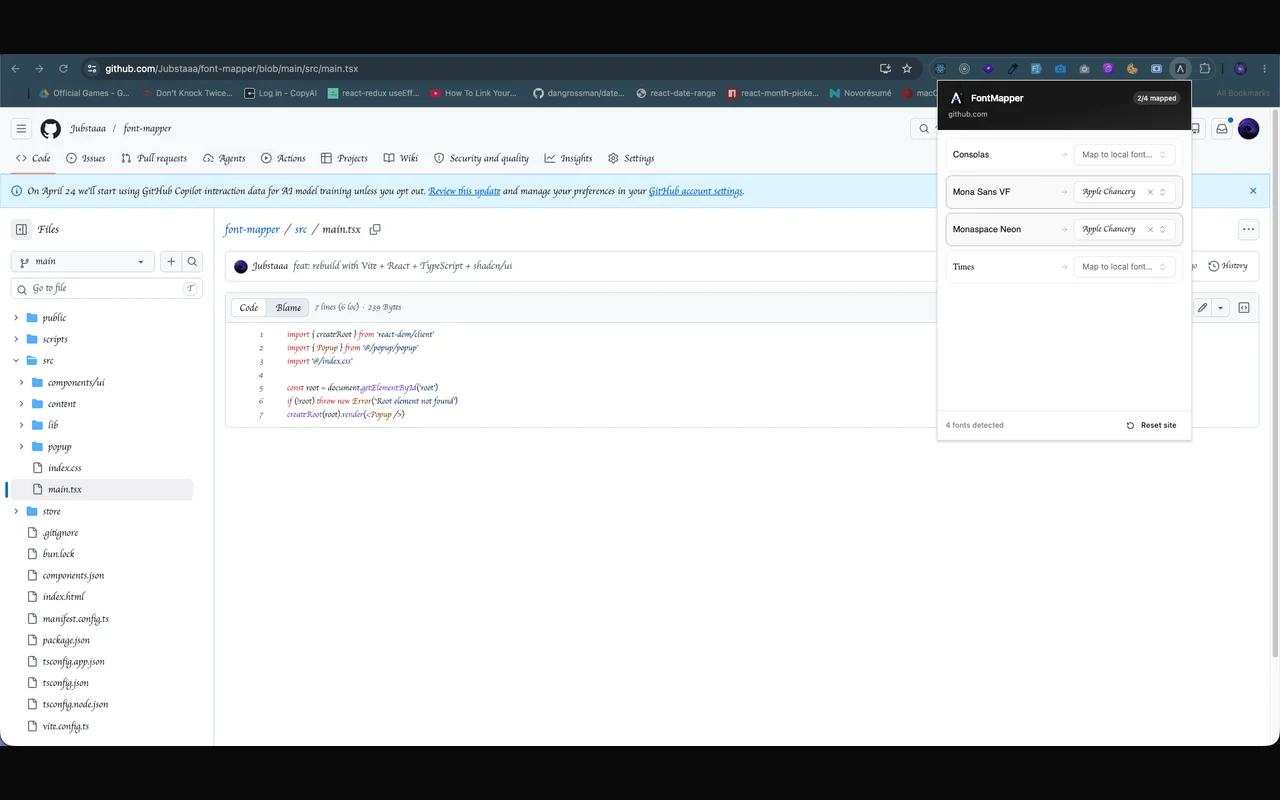
Click the FontMapper icon on any page and the popup shows you exactly which font families that site is using. Pick a replacement from your locally-installed fonts — the page updates instantly. Visit the same site tomorrow and FontMapper applies your preferences automatically. Visit a different site and only its mappings apply. Sign in to Chrome on another machine and your mappings come with you.
Key Features
Per-Domain Mapping, Synced Everywhere
Mappings are scoped to the hostname of the current page and persisted via chrome.storage.sync — they ride Chrome's encrypted profile sync to every device signed in to the same Google account. No export/import dance, no FontMapper servers in between.
Generic Fonts Get Remapped Too
FontMapper works on specific families (Arial, Roboto) and on generic keywords (sans-serif, serif, monospace) and system aliases (-apple-system, system-ui). Sites that rely on browser defaults — which a naive @font-face substitution can never touch — get remapped all the same.
Per-Mapping Typography Controls
Each replacement carries its own fine-tuning: scale, bold, italic, line-height, letter-spacing, word-spacing, and text color. Swap in a font that runs small and bump its size only where it is used.
Searchable Font Picker
The font picker is a custom combobox built on top of cmdk and Radix UI's Popover. It enumerates every font installed on the user's machine via Chrome's Local Font Access API and renders each option in its own typeface, so you can read a preview before you pick.
Hover to Identify
Hovering over a detected font row in the popup highlights every element on the page that uses that font. The popup uses a persistent message port (chrome.tabs.connect) so that highlights clean up automatically the moment the popup closes — even if the user closes it mid-hover.
Smart Warnings
Sync cuts both ways: a mapping created on your desktop may reference a font your laptop doesn't have. FontMapper detects that — and mappings that target fonts the current page doesn't even use — and tells you instead of silently breaking the page.
Backup & Restore
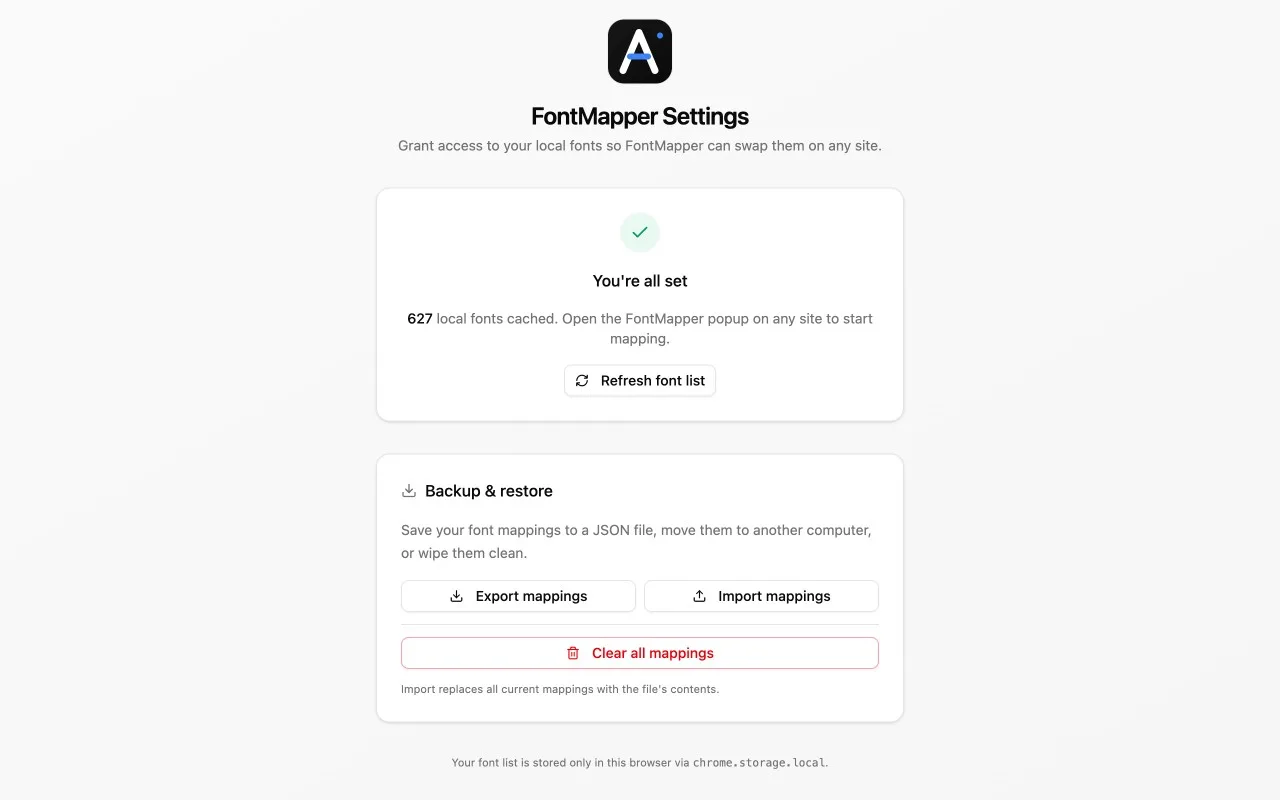
Export all mappings to a JSON file for offline portability or to share a configuration with someone else; restore with one click. A per-site reset wipes a domain's mappings instantly.
Zero Data Collection
No network requests to any FontMapper server, no analytics, no accounts, no telemetry. Mappings travel exclusively through Chrome's own encrypted profile sync. The extension was submitted to the Chrome Web Store with a public privacy policy and full justifications for every permission requested.
Architecture
FontMapper is a Manifest V3 Chrome extension, but built with the same developer experience as a modern web app:
- Build tooling: Vite +
@crxjs/vite-pluginfor hot module reloading inside the extension popup during development - UI: React 19 + TypeScript, styled with Tailwind CSS v4 and shadcn/ui's
new-yorktheme — popup and a full options page - State: Co-located in the popup component; persistence handled by typed wrappers around
chrome.storage.sync - Messaging: Strongly-typed
sendToTaband port-based protocols between the popup and the content script - Content script: Walks every element on the page, resolves its computed font family (including generic fallbacks), and overrides it directly with the mapped replacement — so even elements that never name a font get remapped. Element references are cached by family for instant hover highlighting, and changes apply in real time without reloading.
The end result is a small packaged extension that loads instantly and does its job without ever talking to a server.
Tech Stack
- Frontend: React 19, TypeScript, Tailwind CSS v4
- Components: shadcn/ui (new-york), Radix UI, cmdk, lucide-react
- Build: Vite 8, @crxjs/vite-plugin, Bun
- Browser APIs:
chrome.storage.sync, Local Font Access API,chrome.tabs, MV3 message ports - Distribution: Chrome Web Store, MIT-licensed source on GitHub
Status
FontMapper is live on the Chrome Web Store and fully open source. The codebase is small, typed end-to-end, and still growing — per-mapping typography controls, cross-device sync, and backup/restore all shipped after the initial release.
Links
🛒 Chrome Web Store: FontMapper on the Chrome Web Store
🔗 GitHub: github.com/Jubstaaa/font-mapper
🔒 Privacy Policy: PRIVACY.md
highlights
- Published on the Chrome Web Store with an end-to-end privacy review
- Per-domain font mappings synced across devices via chrome.storage.sync — no servers, no accounts
- Maps named families and generic keywords (sans-serif, monospace, system-ui) alike
- Per-mapping typography controls — scale, weight, line-height, letter-spacing, color
- Searchable font picker over the Local Font Access API, each option previewed in its own typeface
- Smart warnings when a synced mapping references a font missing on the current device